Problem

For keyboard beginners and enthusiasts, comparing keycaps, switches, and keyboards meant jumping between vendor sites and community posts.
Information was scattered across vendors and community posts, often overwhelming newcomers and pushing them away before they could get started.
What do we want to build
Create a central place where keyboard beginners and enthusiasts can explore, compare, and understand their options in one coherent experience, making the hobby easier to get into and more fun to explore.
Background Story
Alex and I met on Reddit through our shared love of mechanical keyboards.
After countless builds, experiments, and late-night research sessions, we set out to create a clearer, more enjoyable way for the community to discover their ideal keyboard.
0→1
Launched
Design Solution - Database
After speaking with members of the keyboard community, we realized this wasn’t just our problem, it was a shared pain point.
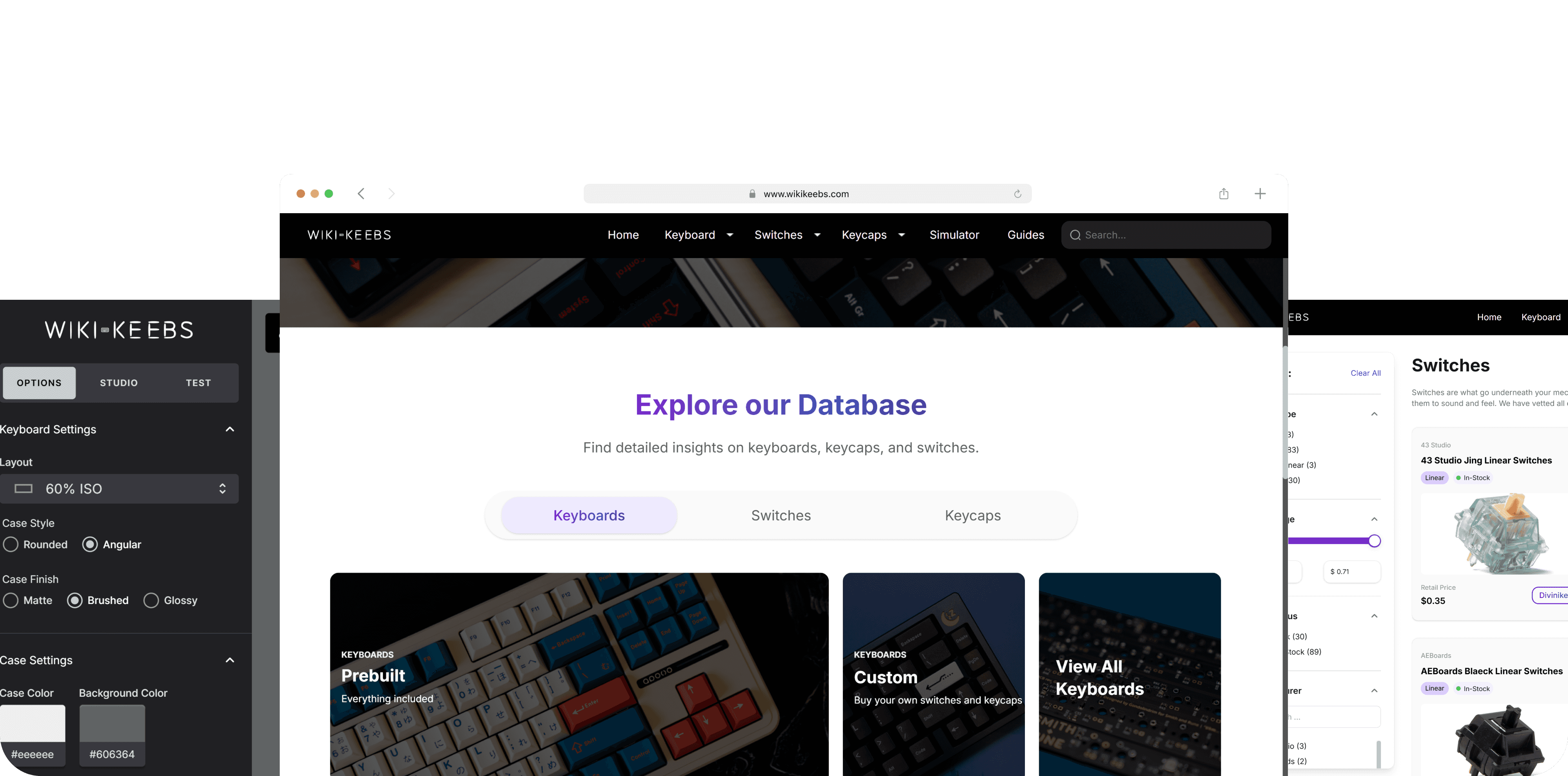
We designed a centralized, visual experience that brings scattered information together, making it easier for people to explore options and find their dream or end-game keyboard.
Database - Keyboard
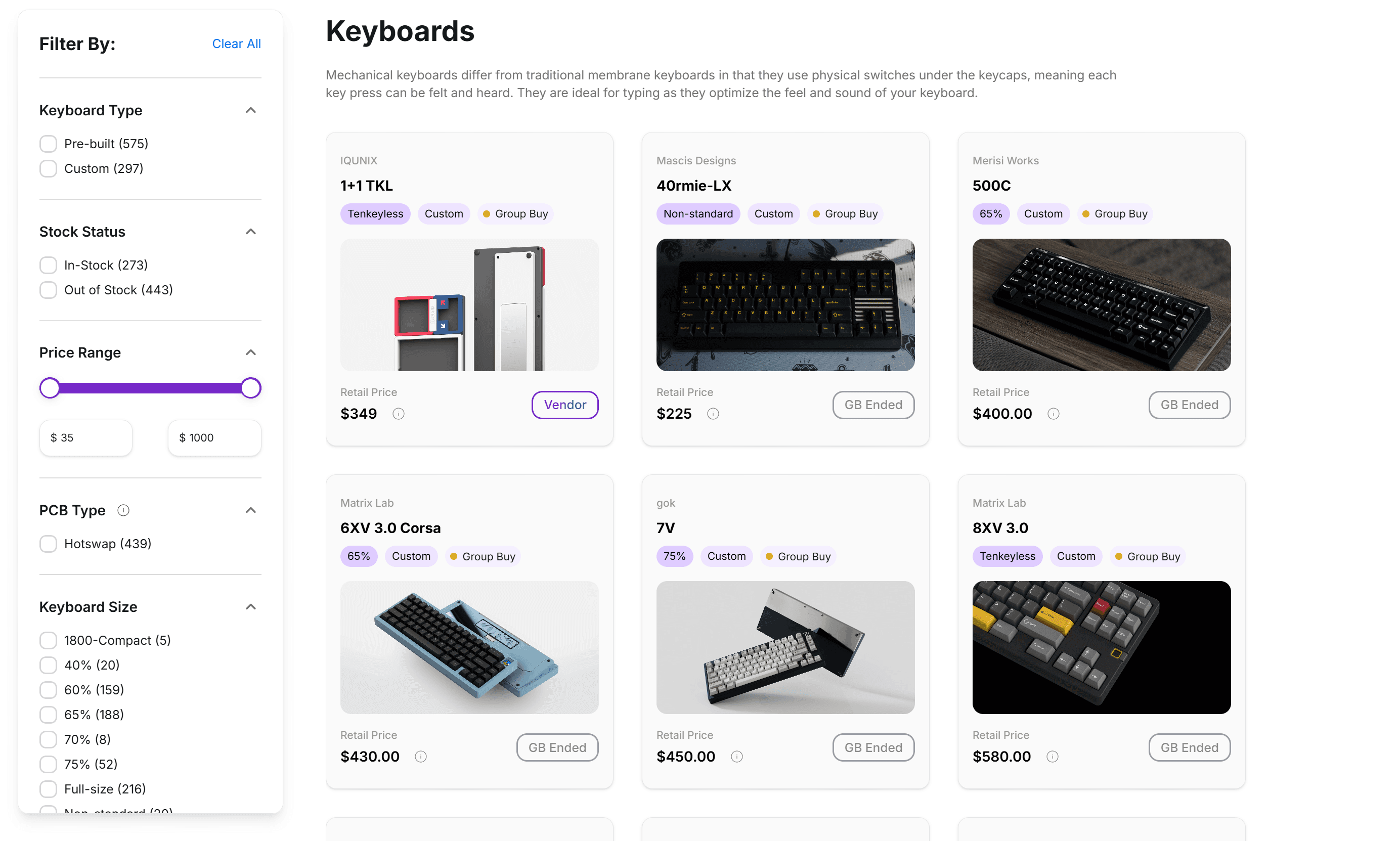
We consolidated keyboard information that was previously scattered across community platforms like Geekhack and archived Reddit group-buy posts, making it easier to browse and compare in one place.
To better support beginners, we also included ready-to-buy options sourced from MechanicalKeyboards.com, reducing the friction of getting started.
Keyboard Filter
With 800+ keyboards in the database, filtering was essential.
The system supports both beginners and enthusiasts, starting with simple options like pre-built and in-stock filters, and expanding into advanced controls such as PCB type, layout size, price range, and manufacturer.
This approach reduces overwhelm and helps users narrow down choices quickly and confidently.
Database - Switches
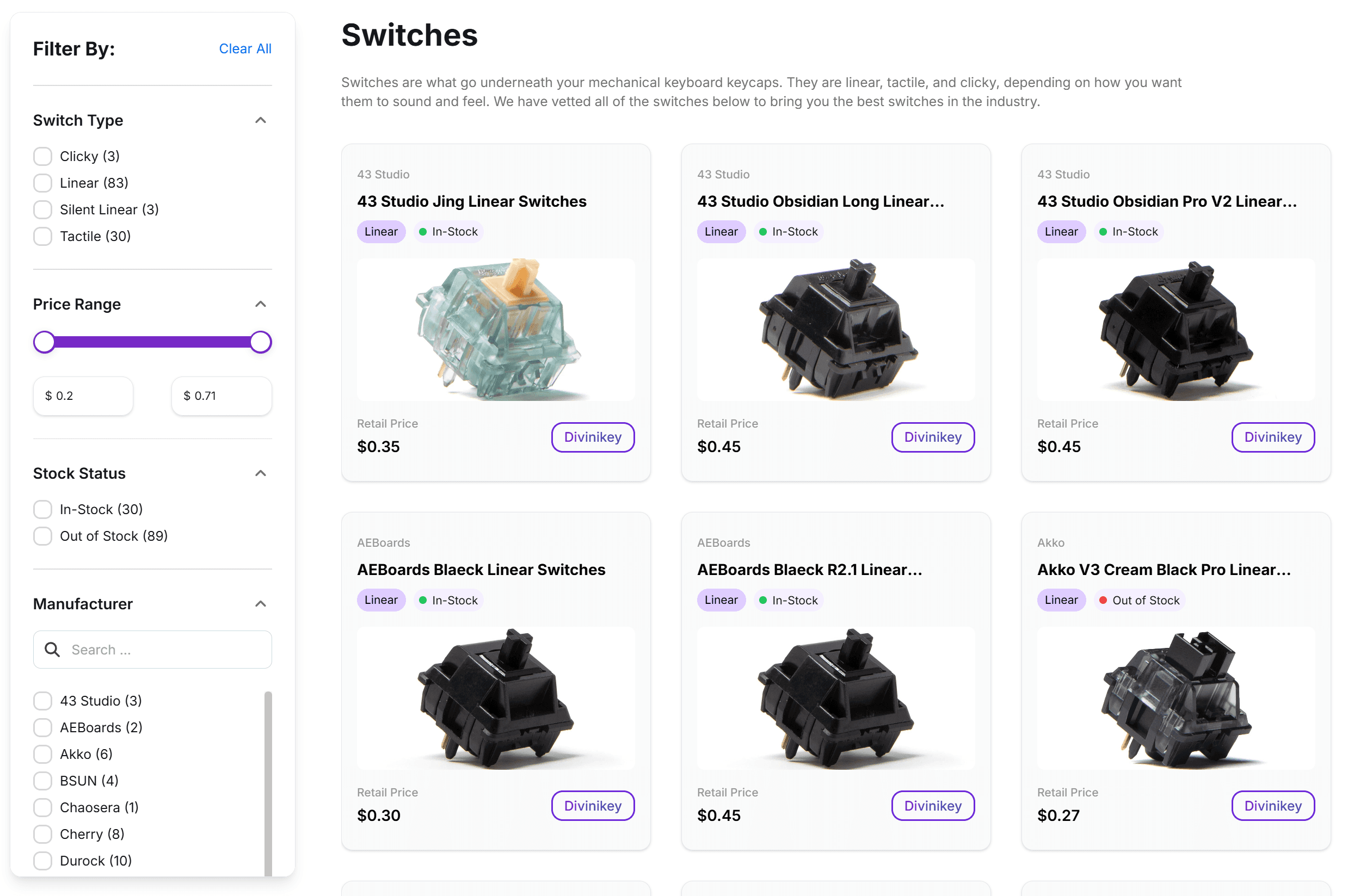
Switches are more standardized and easier to source compared to keyboards. Instead of aggregating fragmented community data, we curated switches directly from a selected set of trusted vendors and manufacturers.
Each listing links to the vendor for quick purchase, while filters for switch type, price, stock status, and manufacturer help users quickly find what fits their preferences.
Database - Keycaps
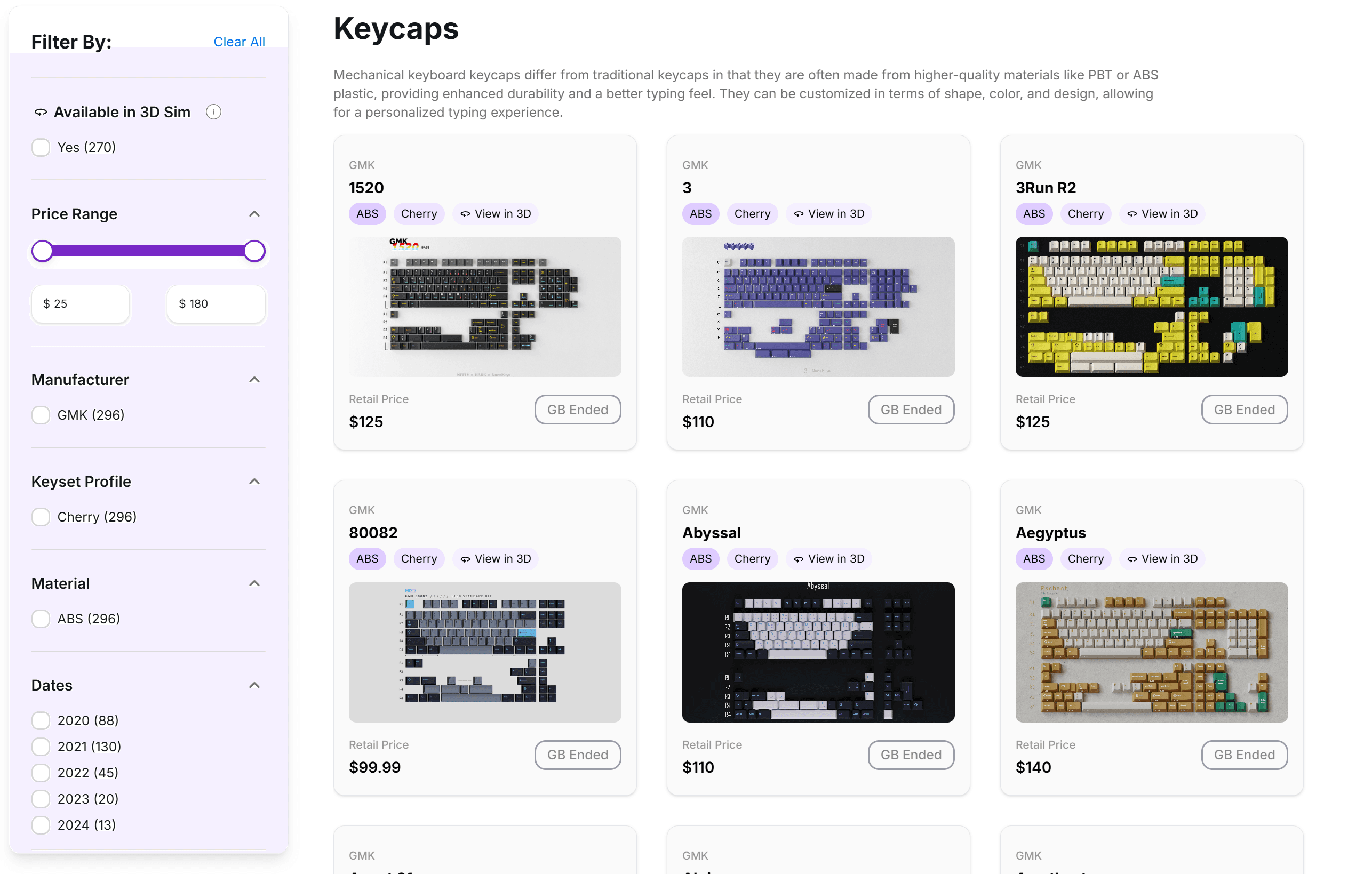
Given limited capacity at launch, we chose to focus on a single, widely recognized manufacturer: GMK.
Each keycap set supports detailed filtering by profile, material, release year, and price, with select sets offering a 3D preview to help users better visualize how keycaps look across different layouts.
PS: The 3D simulator and its design decisions are covered in a later section.
0→1
Launched
Design Solution - Product Details Page
We created a unified details page for keyboards, keycaps, and switches to centralize specs, context, and media, helping users evaluate products without leaving the platform.
Keyboard Details Page
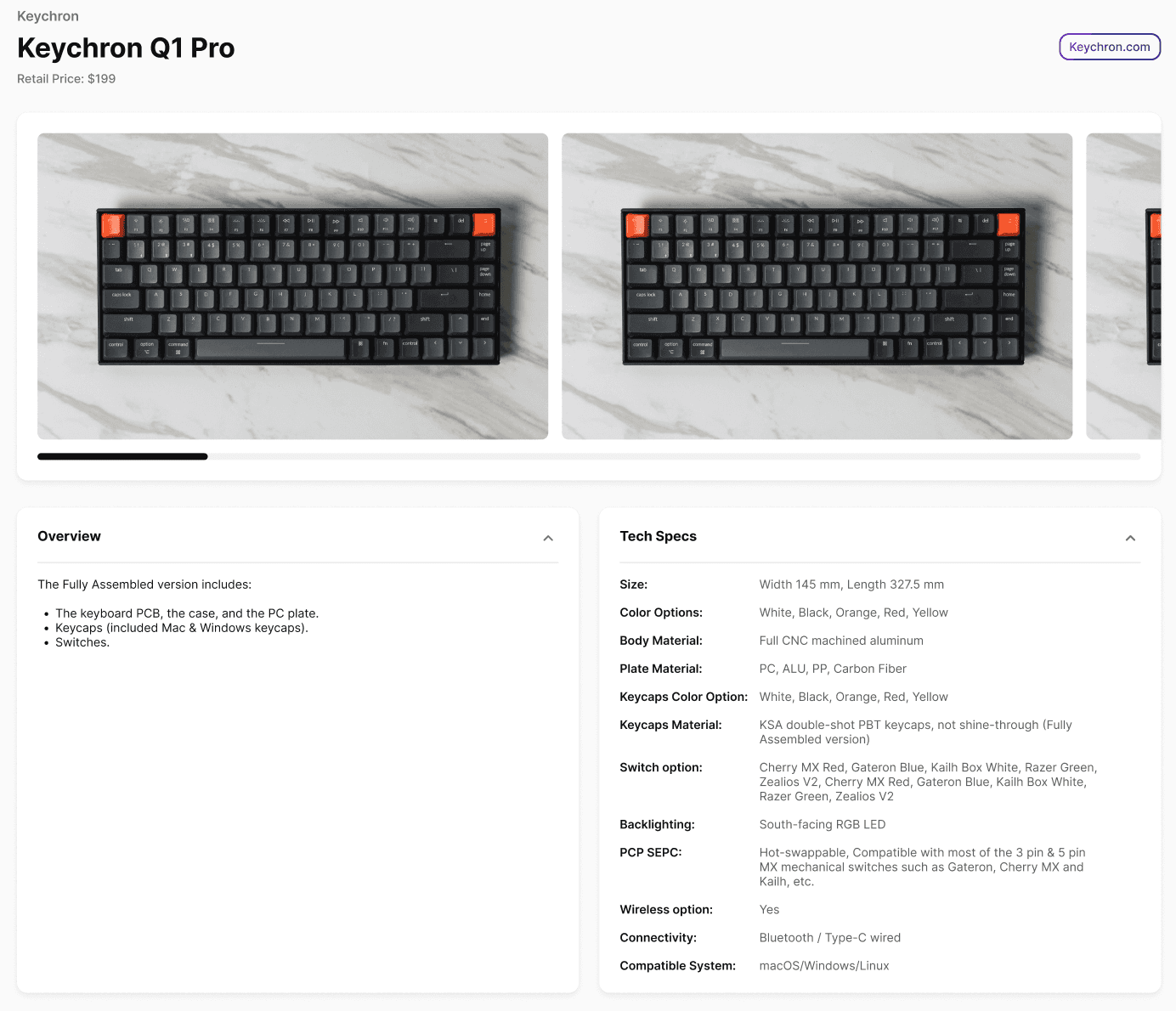
Visual-first product gallery
Large, scrollable images are prioritized at the top of the page to help users quickly understand layout, proportions, and overall design before diving into details.
Structured, scannable specs
Technical information is grouped into clear sections (overview and specs), making it easy to scan materials, layout size, switch options, connectivity, and compatibility without overwhelming the user.
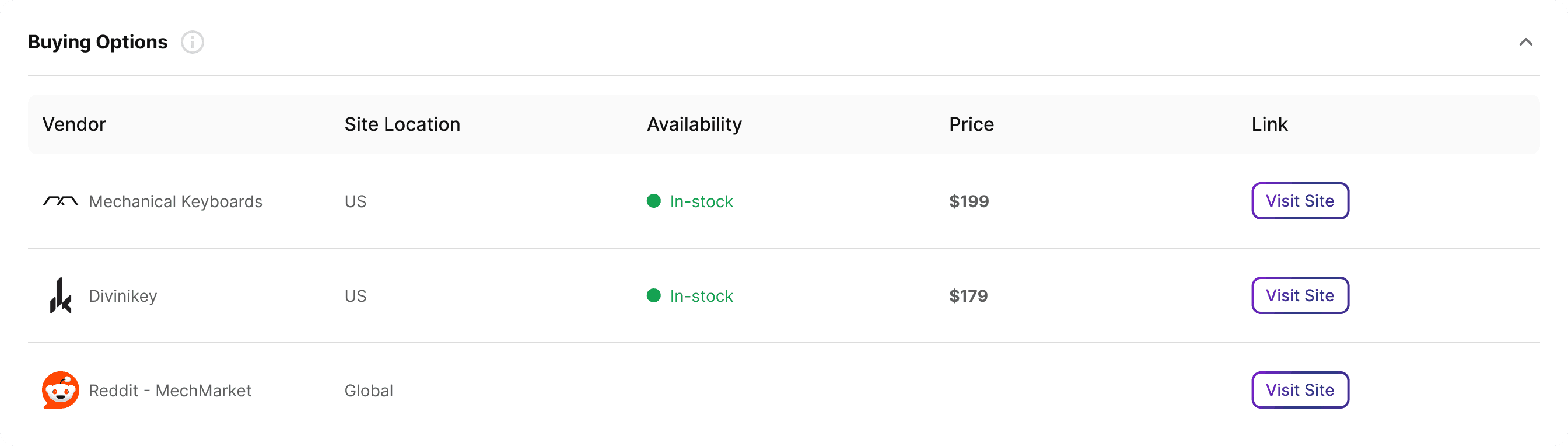
Buying Options
Buying options are generated through live crawling of vendor and community marketplaces, reflecting real-time availability and pricing.
In addition to official retail sites, the system also includes Reddit MechMarket, which is often the only active source for discontinued or limited-run items. Since many keyboards are no longer sold new, MechMarket naturally appears as an option when it is the only place where listings still exist.
🔊Sound Test
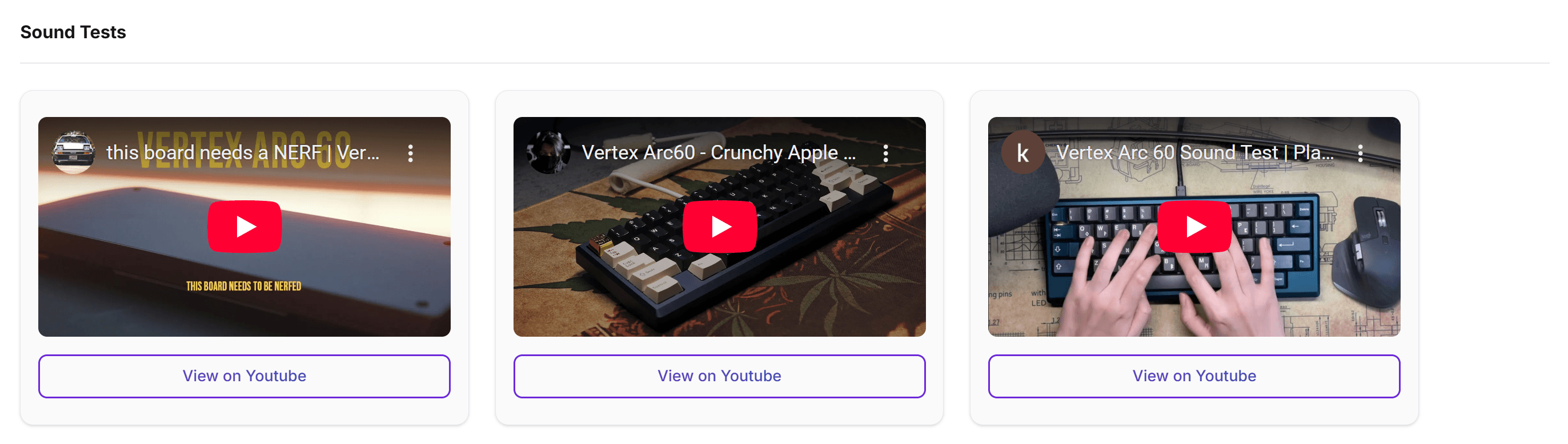
Sound plays a major role in how people choose a mechanical keyboard.
For many enthusiasts, including myself, typing feel isn’t just visual or tactile - it’s auditory.
We surfaced curated sound test videos directly on the product page so users can hear how different builds sound before making a decision, reducing uncertainty and unnecessary research across external sites.
Design Improvement
Launched
3D Keyboard Simulator
Choosing a keyboard isn’t just about specs, it’s about how everything comes together visually.
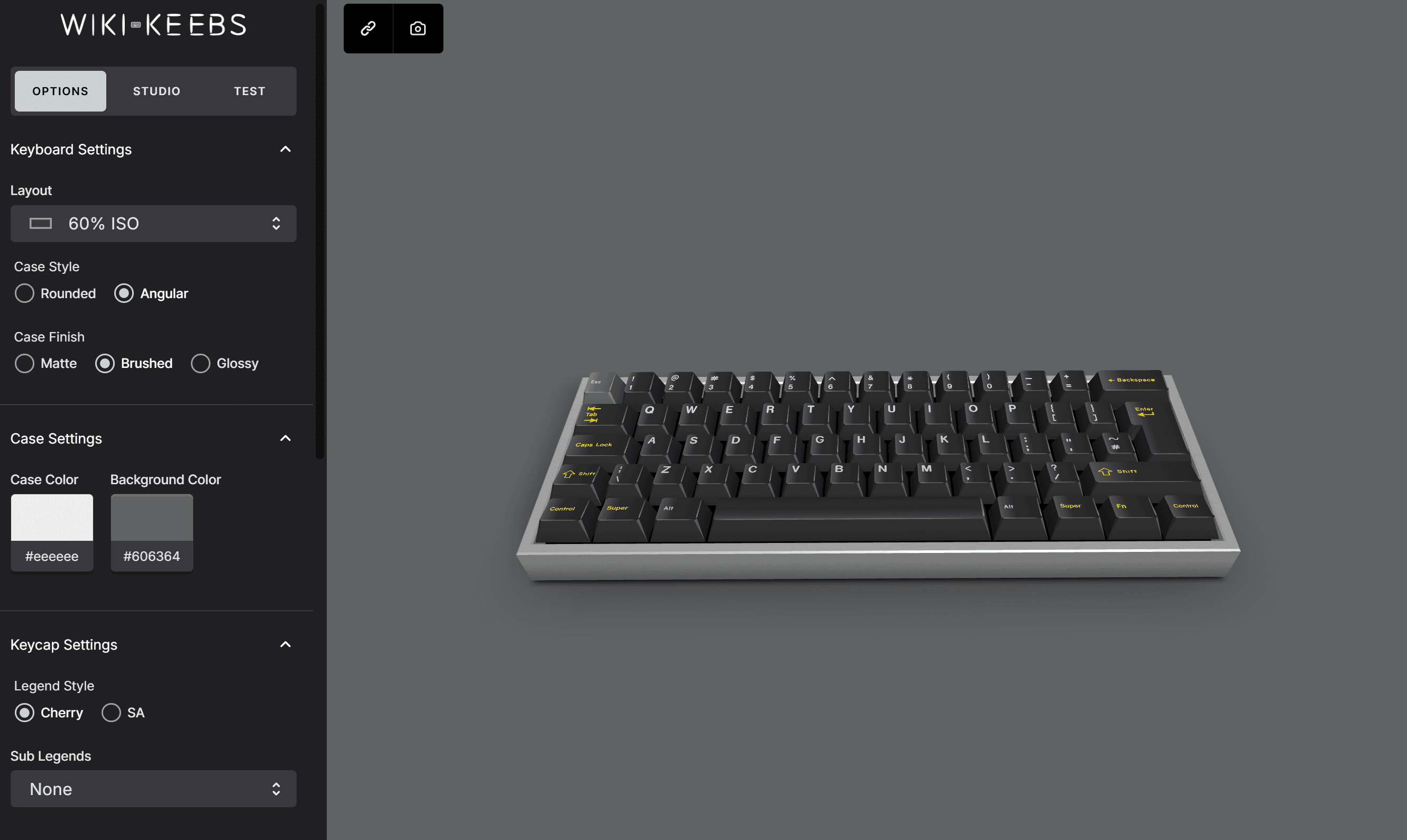
We introduced a 3D keyboard simulator that lets users explore layouts, case styles, finishes, keycap profiles, and colorways in real time, helping them better understand scale, proportions, and overall aesthetic before committing to a build.
This simulator is built on top of an existing open-source keyboard simulator project.
Connect the Simulator to Real Products
Users can launch the 3D simulator directly from the product details page, allowing them to visualize real keyboards and keycaps in context before making a decision.
Setup Options
Building on the original open-source simulator, I reorganized and expanded case options to improve visual clarity.
By grouping style, finish, and color controls, users can more easily explore how case design choices affect the overall keyboard aesthetic.
Preset Colorway Options
I authored and structured 250+ GMK colorway JSON presets to power instant visual previews inside the 3D simulator.
This system enables one-click visual previews in the simulator, reduces setup friction, and lays the foundation for scalable expansion as more manufacturers and profiles are added.
Resource-Constrained Execution
End-to-End Ownership
Challenges
What’s shown in this case study is a simplified version of a much more complex process. As a two-person team (myself and one engineer), we had to constantly balance shipping an MVP with building a foundation that could scale.
Beyond design, I spent hundreds of hours on QA, roadmap planning, and hands-on technical work, including writing data ingestion scripts, managing large-scale uploads, and learning to maintain MongoDB and AWS infrastructure, all of which were new to me at the start of the project.
This required me to move quickly outside my comfort zone and make pragmatic trade-offs between speed, quality, and long-term maintainability.

Still Improving
As an ongoing side project built by a two-person team, there are still occasional rough edges. We continue to iterate, fix issues, and refine performance with the goal of delivering a more stable and polished experience over time.
Reflection
As the founding product designer and PM for WikiKeebs, I worked without a fixed roadmap or predefined requirements. I had to decide what to build, what to cut, and what to prioritize based on real user needs and technical constraints.
Working under these conditions taught me how to stay comfortable in ambiguity, make clear trade-offs, and keep the product moving forward with limited resources. This experience shaped how I think about product design, not just as creating interfaces, but as defining problems, setting direction, and making complexity easier for users to navigate.